Mail flow rules
Tag mail from outside, add a disclaimer, block risky attachments, copy or redirect someone's mail. Try a rule in test mode first.
Obsidian Mail Server gives your organization mail, calendars and contacts on phones, Macs, Outlook and the web, all from one server you control. It comes with an admin center that walks you through setup, compliance tools for regulated work, and its own installable appliance. Run it on your own hardware, or let us host it for you.
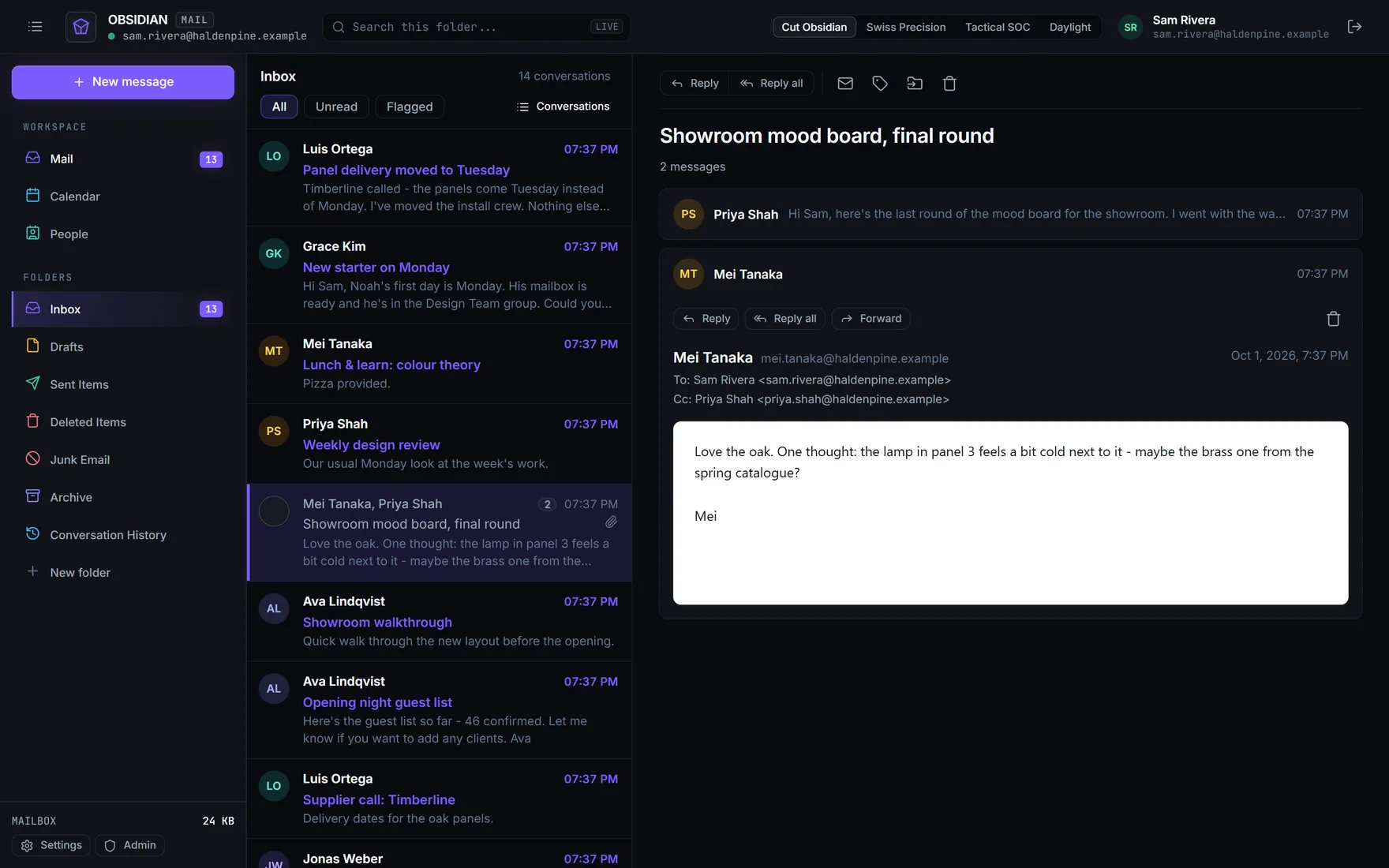
The server speaks the same protocols as Exchange, so the mail apps on phones, Macs and PCs connect to it as an Exchange account. People type their address and password; Autodiscover finds the server.
Exchange ActiveSync 12.1 to 14.1: mail, calendar, contacts and tasks with push, meeting replies, device policies and remote wipe.
Exchange Web Services for Apple Mail, Calendar and Contacts and Outlook for Mac: folders, sync, notifications, free/busy and automatic replies.
MAPI over HTTP for classic Outlook, in online and cached mode, with the offline address book and NTLM sign-in. In preview, switched on per user.
IMAP with IDLE, CONDSTORE, QRESYNC and MOVE, POP3, and SMTP submission. Thunderbird and others set themselves up from the address.
Every mailbox can also be used in the browser, with nothing to install. Messages are cleaned before they are shown, and pictures from the internet stay off until the reader asks for them.

Also on Windows: Obsidian Mail Client connects to the server over Exchange ActiveSync, with new mail the moment it arrives.
No consoles of cmdlets to learn. The admin center checks your setup itself, says what is missing in plain language, and links to the right page of its built-in administrator's guide.
oms, for everything the admin center does.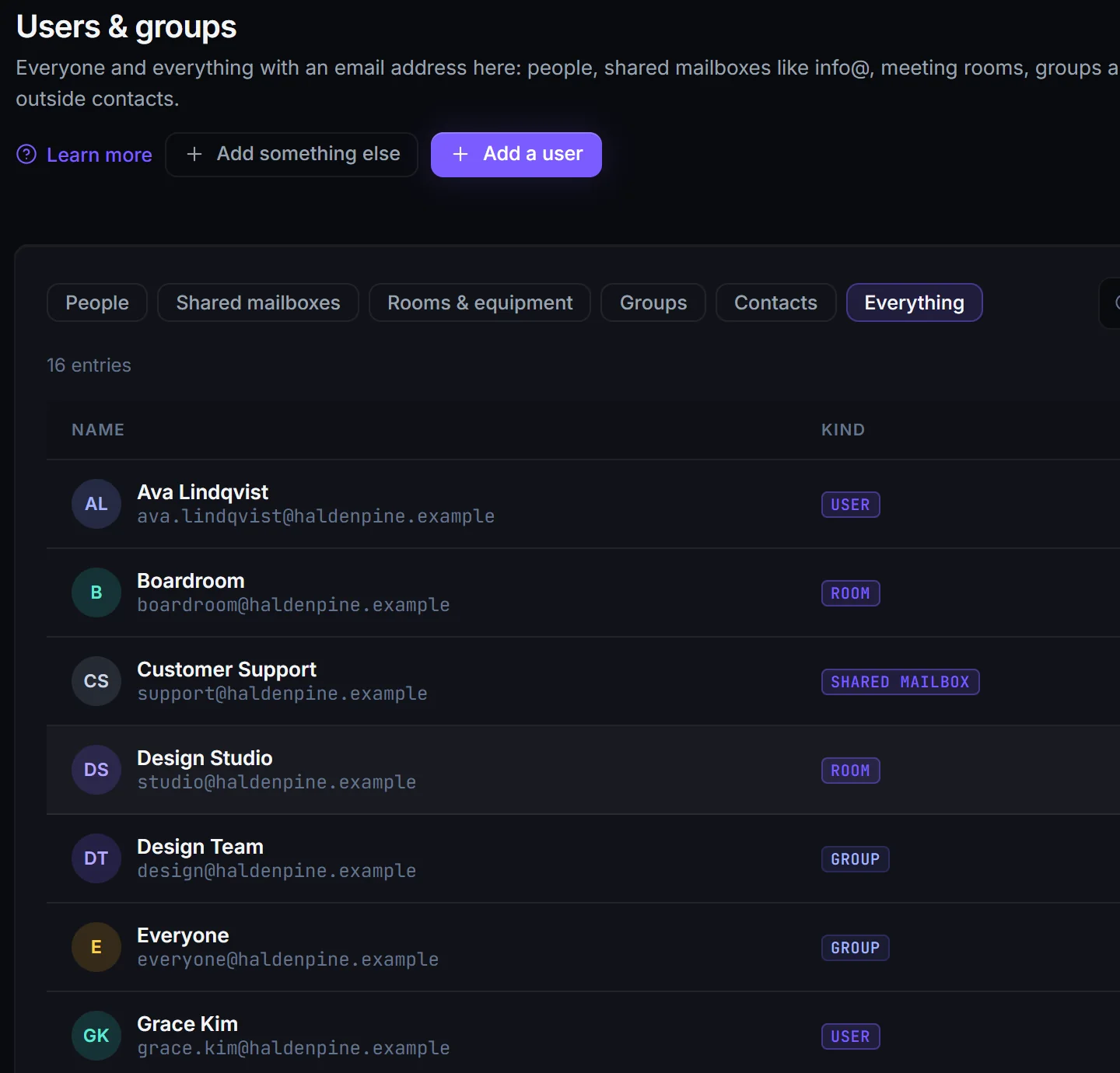

Every device that syncs, its policy, and buttons to block it or erase it if it is lost.
Mailbox size limits with warnings to the person before they are reached.
Installation, DNS, certificates, apps, mail flow, backups and troubleshooting, filled in with your server's own names.
Passwords stored with Argon2id, and guessing slowed down after 10 wrong passwords within 15 minutes.
Create a key, publish one DNS record and turn signing on, so mail reaches inboxes at Gmail and Outlook.com.
Import users and groups from Active Directory, keep them in sync, and sign in with the AD password.
The tools Exchange administrators rely on for legal, healthcare and finance, built in and managed from the same admin center.
Tag mail from outside, add a disclaimer, block risky attachments, copy or redirect someone's mail. Try a rule in test mode first.
Finds card numbers, SSNs, IBANs, secret keys and health identifiers, also inside Office attachments. HIPAA template included.
A report of every message a rule covers, naming everyone who really received it, Bcc and group members included, sent to an archive.
Tags that delete or archive mail after a set time, on folders or single messages, applied on the server.
Keep everything a person has, or everything matching a search, even when it is deleted or purged.
Cases with searches across mailboxes, archives and recovered items, preview, case holds and a ZIP export with a SHA-256 manifest.
Who opened, moved, deleted or sent from which mailbox, from webmail, phones, Outlook or IMAP, including administrators and delegates.
A role for legal staff: run searches and holds without being able to change anything else.
Obsidian Mail Server is its own small operating system, built on Ubuntu Server 24.04 LTS with PostgreSQL. There is nothing to install first: start it, answer a few questions on the console, and sign in to the admin center.
The same server either way. Choose where it lives.
Install the appliance on your own hardware or virtualization. Your mail never leaves your network unless it is addressed elsewhere, and you decide when to update.
DownloadWe run the server, its updates and its backups for you. You manage your people and settings in the same admin center, and point your domain's records at us.
Talk to usVersion 0.9.0. Once installed, it updates from our signed repository.
Downloads ask for a user name and password. Ask us for access.
Start a server or a virtual machine from it. It asks for the network and the disk, and needs no internet connection to install.
Download the ISOA ready-made disk for a Generation 2 VM with Secure Boot. New-ObsidianVM.ps1 creates and starts the VM.
Deploy it in vSphere, or open it in Workstation or Fusion, choose the network and start it.
Download the OVAFor an existing Ubuntu Server 24.04 machine. Installing it also adds our signed update repository.
Download the .deb4 CPU cores, 8 GB of memory and 64 GB of disk serve a few hundred mailboxes; give mail more disk as it grows. 64-bit x86. SHA-256 checksums
No. Obsidian Mail Server is our own server, written in .NET. It speaks Exchange's protocols, which is why phones, Macs and Outlook connect to it as an Exchange account, and it follows Exchange's ideas so administrators find their way around: recipients, connectors, mail flow rules, retention and holds.
Classic Outlook connects over MAPI over HTTP, in online and cached mode, with the offline address book. It is in preview: an administrator switches it on per user with oms mapihttp enable, and Windows sign-in with NTLM is switched on with oms ntlm enable. Everyone else uses Exchange ActiveSync, EWS or IMAP, which are on for all.
Not by itself. Put a filtering gateway in front of it, such as Obsidian Suite, our email security service: it filters incoming mail and hands the clean mail to your server. The server reads the spam verdict a gateway adds and files tagged mail in Junk Email.
A physical server or a virtual machine on Hyper-V, VMware or another hypervisor. 4 CPU cores, 8 GB of memory and 64 GB of disk are enough for a few hundred mailboxes. You also need a domain whose DNS records you can change, and, to receive mail from the internet, a public address for port 25.
From our apt repository, signed with our own key. The package sets up the repository with our key pinned to it, so an update is accepted only when we signed it. Updates are installed from the admin center or the console when you choose.
Importing mailboxes straight from an Exchange server is planned. Until then you can create the mailboxes and move mail with the tools you would use between any two mail servers.
It depends on the number of mailboxes and what you need. Contact us and we will tell you.
Obsidian Suite filters mail for your server, Microsoft 365 and Google Workspace before it reaches anyone's inbox, with an AI model that explains every decision.